Rex has loaded the guide for you...
Thank you. Your chosen browser is Microsoft Edge
"That is everything I need to know from you. I have loaded a step-by-step guide below for you to add the Butlins Memorabilia website to your favourites"
Thank you. Your chosen browser is Microsoft Edge
"That is everything I need to know from you. I have loaded a step-by-step guide below for you to add the Butlins Memorabilia website to your favourites"
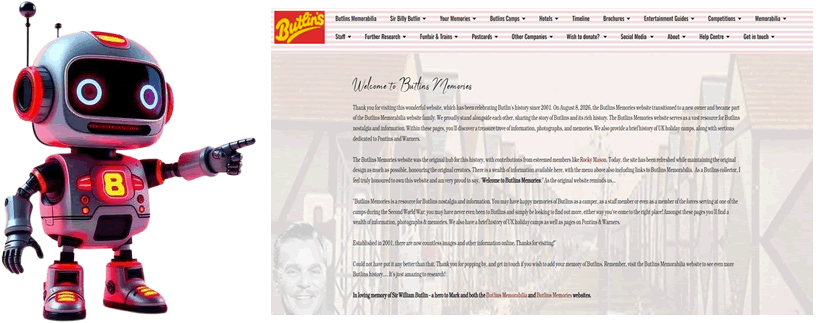
First, you must find the page you intend to bookmark on the Butlins Memories website. For example, if you would like to see a specific page, load it using the website's menu. If you want to save the whole site, meaning that the home page is always the location you wish to see, use the link below.
https://www.butlins-memories.com/
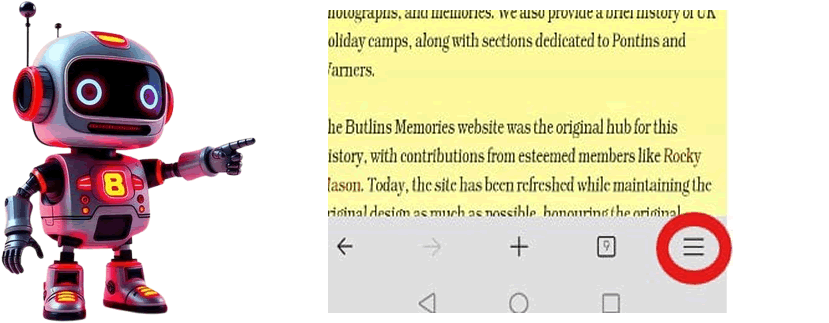
Found at the bottom of the page, you will see three lines. Please click on these to show the menu
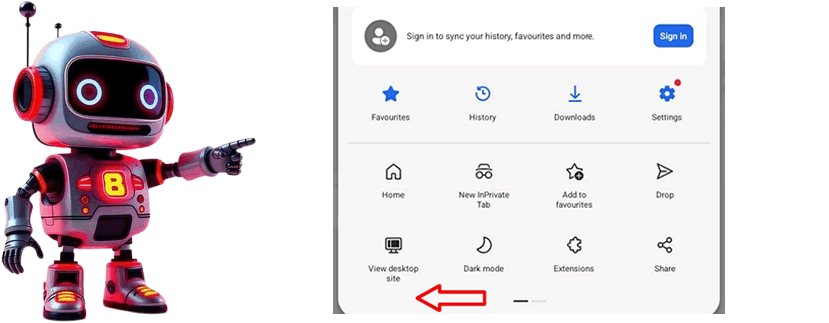
Now, please swipe the menu to the left-hand side to show the next selection of options available to you.
Extra option for you
Add to favourites
This will add this to your browser favourites, but not as a shortcut. There is no harm if you wish to do both :)
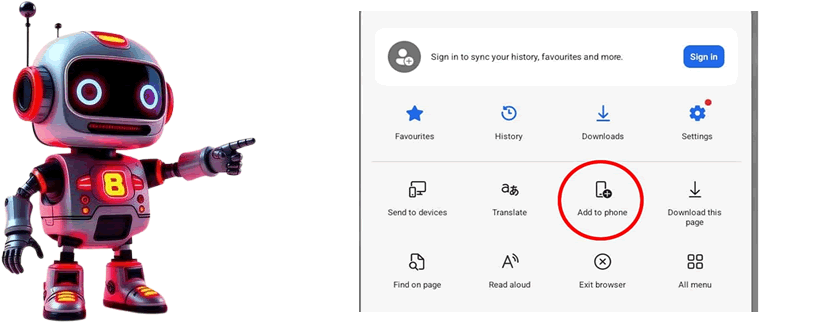
You will now see another selection of options available to you. Please click on the one that has "Add to Phone"
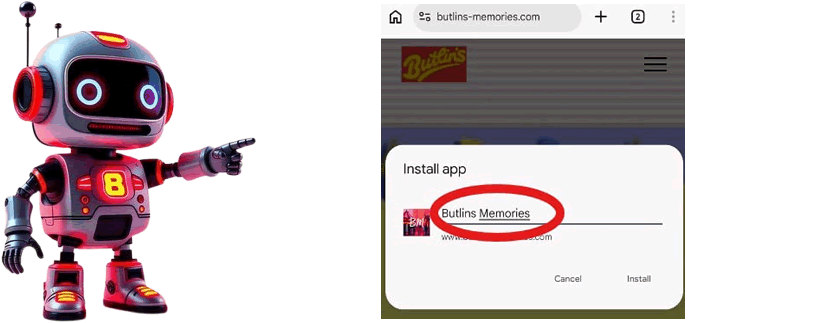
A notification will show up on your device, requesting your confirmation to create a shortcut. Please rename this to "Butlins Memories"; otherwise, the name will be too long for the shortcut.
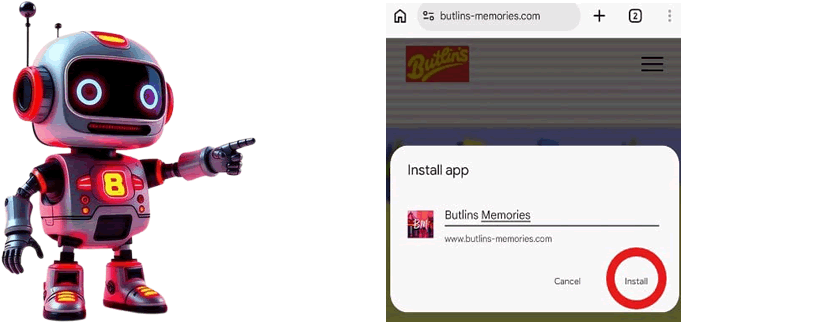
Your device will now ask you if you wish to create a new shortcut. Please click on the "Install" option.
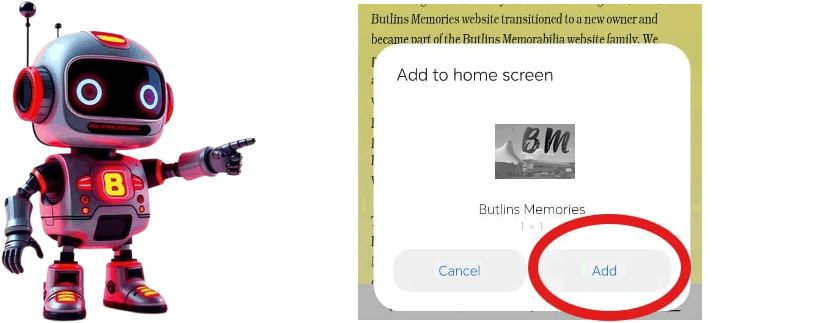
Microsoft Edge browser will ask you once again if you are happy to add this new shortcut to the phone. Please click on "Add".
Congratulations!
You have successfully added the Butlins Memorabilia website to your Android device. We appreciate your visit to the site and are thrilled to know that you enjoy it.