Rex has loaded the guide for you...
Thank you. Your chosen browser is Apple Devices
"That is everything I need to know from you. I have loaded a step-by-step guide below for you to add the Butlins Memorabilia website to your favourites"
Thank you. Your chosen browser is Apple Devices
"That is everything I need to know from you. I have loaded a step-by-step guide below for you to add the Butlins Memorabilia website to your favourites"
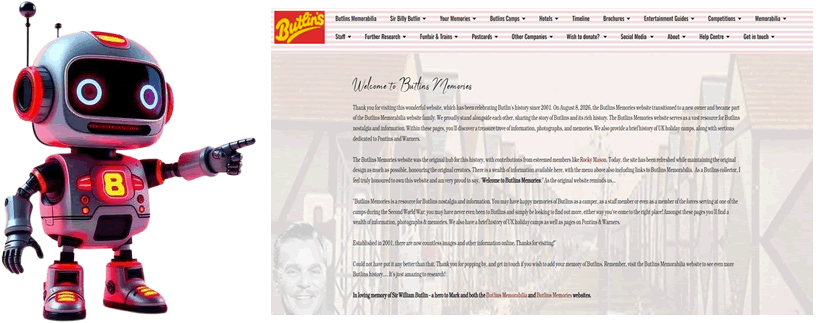
First, you must find the page you intend to bookmark on the Butlins Memories website. For example, if you would like to see a specific page, load it using the website's menu. If you want to save the whole site, meaning that the home page is always the location you wish to see, use the link below.
https://www.butlins-memories.com/
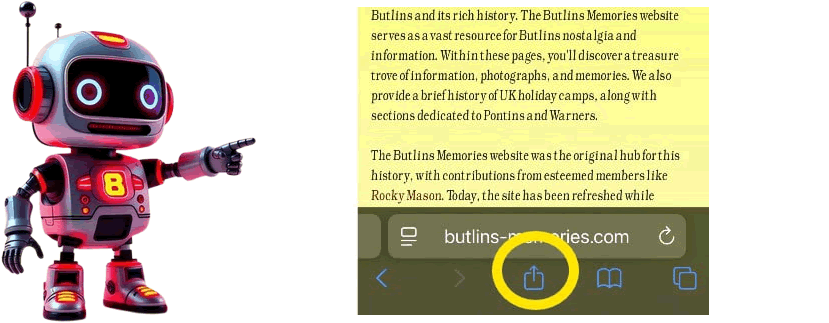
Go to the bottom of the page and look for the box with the small arrow inside the icon.
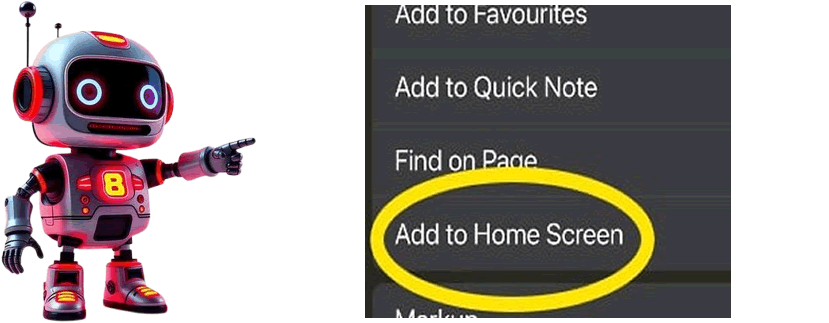
When the bottom menus show, please move the menu upward to review additional options. Look for the option called "Add to home screen".
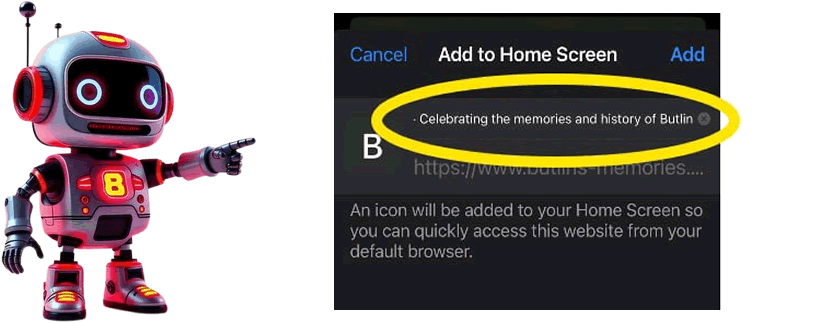
Rename the shortcut to "Butlins memories"; otherwise, the name will be too long for the shortcut.
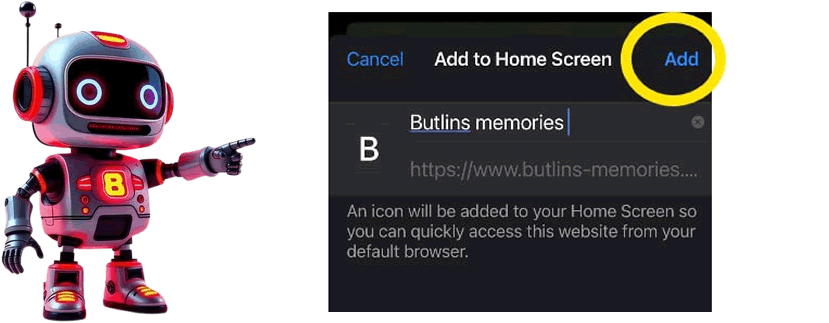
Please click on the "Add" option, and the Butlins Memories website will now appear as an icon on your device.
All done!
Well done for adding the Butlins Memories website to your Apple device, and thank you for being a visitor to the website. It's great to see that you enjoy the website.